As external partners working with Meta, we have been seeing another sharp increase in restricted Meta/Facebook accounts. We are receiving a growing number of enquiries from business owners who suddenly find themselves unable to advertise and do not know how to protect their business.
First, I want to explain what our Facebook account analysis service actually involves and why preventing problems is considerably more effective than trying to put out a fire once your advertising has stopped.
- Decisions about Facebook restrictions and blocks are made through automated systems. There is no individual person, team or interest group sitting beside a giant red button deciding which users and accounts to block or unblock.
- Like any algorithm, these systems are not perfect. Occasionally an account that has not intentionally broken a rule may still be penalised because a “suspicious activity” signal was interpreted incorrectly. In our experience, though, such cases are less common than they used to be, and we can often identify specific reasons behind a restriction.
- Our team focuses on active monitoring of business accounts, resolving emerging problems and minor warning flags and, above all, preventing more serious restrictions that could threaten an entire business. In practice, this means monitoring assets, identifying flags and support cases as they appear, reviewing them and — where appropriate and possible — addressing incorrect or irrelevant issues through available Meta support procedures. We aim to maintain a healthy account setup and minimise problems that could affect ad delivery and performance.
- If a client deliberately and repeatedly breaches Facebook/Meta's Terms of Service and has no intention of changing that behaviour, we are not the right partner. We do not have a magic wand that makes ongoing violations acceptable. To be very clear: working with us does not mean you can advertise a magical drink that allegedly increases a customer's IQ by 100 points.
- We do not recover personal Facebook profiles affected by hacks, missing SMS verification codes, stolen credentials or deleted accounts. Our service focuses on business profiles and associated business assets.
- Yes, this is a paid professional service. We are not a charity, and our fee depends on the complexity of the situation.
Do I need to give you access to my account? No. Never send anyone your passwords or login details. For our described process, we work through Meta's business interfaces and ask only for the relevant business account and asset IDs.
I've seen similar offers, but people say they're scams! With us, you sign an agreement with a Slovenian company and receive an invoice at the end of the month, after the service has been performed. You also receive a monthly report on your assets and their status. You do not hand over login credentials and you pay for the agreed work after delivery. Other offers may be unreliable, but they have nothing to do with our service.
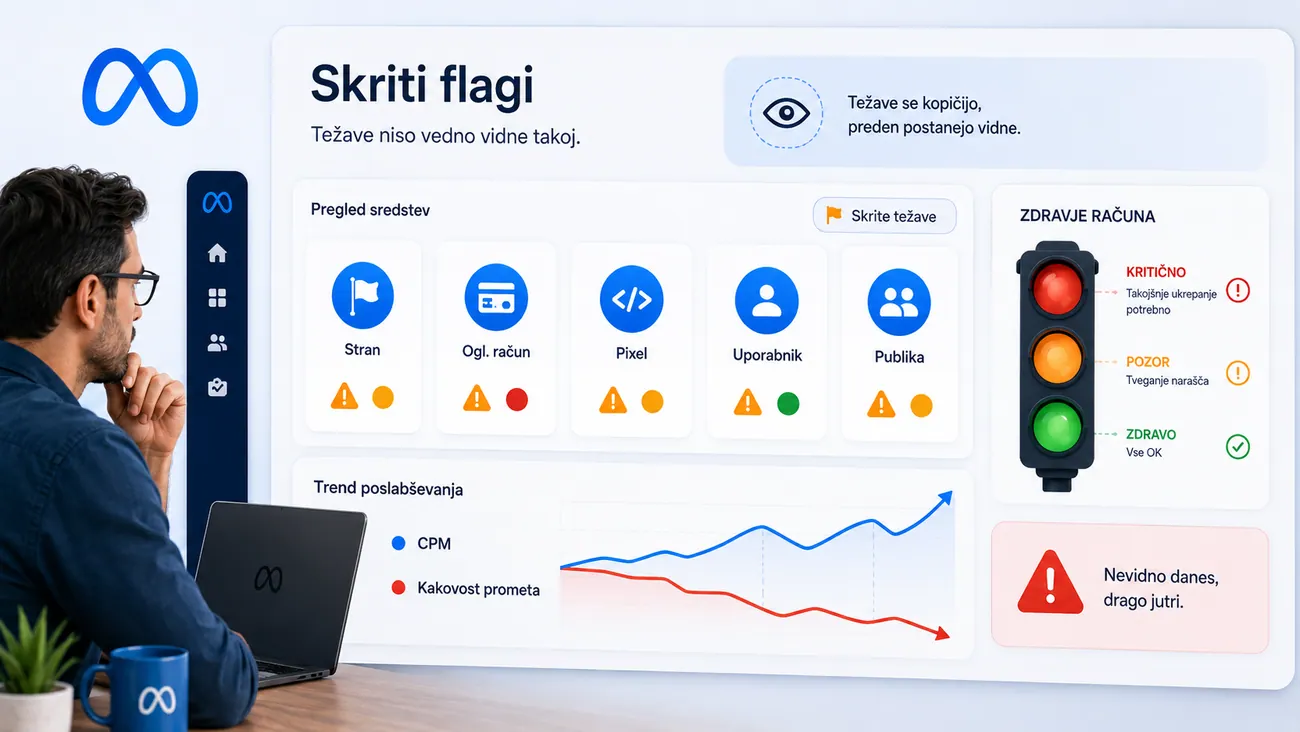
But I don't want a monthly fee — it's expensive, and I barely have any problems. How many issues exist in a given business portfolio is surprisingly subjective, because an account owner may not see every warning. Problems often develop as follows:
- A user commits a series of smaller policy breaches — perhaps an unsuitable ad creative or claim, adding someone who previously had account problems, or receiving a few customer complaints. These events can create warning flags the account owner may not notice.
- Because the user does not see a major restriction — or manages to reverse one with a “Request review” appeal — they assume everything is fine. Meanwhile, a growing number of negative signals may coincide with poorer traffic quality and higher CPMs, even though the underlying cause has not been identified.
- Some advertisers still refuse to believe anything is wrong and blame seasonality or Facebook bugs. One of our clients had more than 50 warning flags across users, ad accounts, Pages and even pixels while being convinced that their setup was clean and carefully managed.
- When more serious restrictions finally appear, it can be too late for an easy fix. Some businesses respond by opening new accounts repeatedly, creating an interconnected structure that makes it increasingly difficult to distinguish the original cause from the consequences.
Because we cannot know the condition of your assets before looking at them, our approach to a new enquiry is intended to be straightforward and fair:
- You send us the IDs of the relevant business assets.
- We perform a quick assessment: a simple table showing which assets appear healthy, which are restricted and which have warning flags, using green, amber and red indicators.
- Based on that assessment, we estimate how much work would be required to address the issues and, if you wish, monitor the account going forward. You then receive a proposed scope and price.
- You decide whether to take part in the programme. Up to that point, you have no obligation to work with us.
I still think my business account is fine. I only want to recover a restricted personal profile that did nothing wrong, or move a healthy Facebook Page away from a restricted Business account.
We cannot take over those cases in the same way as our business account monitoring service, but we can explain the steps you can try yourself.
A restricted, hacked or lost personal account:
- Whether you like it or not, your route is the Facebook Help Centre. Use the official support and recovery channels for these problems.
- Navigate to the relevant issue, describe it briefly and clearly, and include the IDs of the affected assets where possible. Avoid long accounts of everything that happened if a short, precise explanation will do.
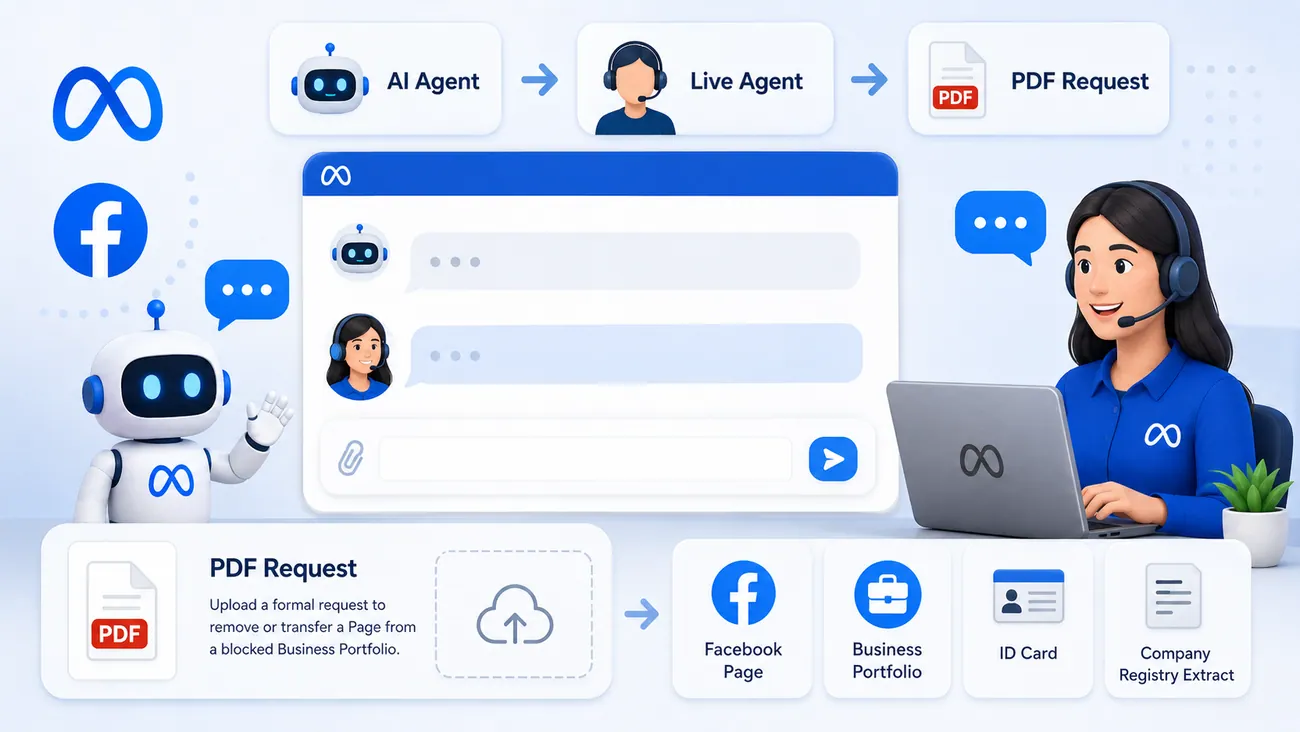
- If you find yourself going around in circles with automated support, ask periodically whether a human support agent is available. Depending on your case and support eligibility, the system may offer a hand-off to an agent.
- When you reach an agent, explain briefly — again using IDs — exactly what result you want. If they can help, they can describe the next steps.
What if a healthy Page is linked to a restricted Business account and you cannot move it?
- The answer may again lie in Business Support Home.
- Describe the problem to the support assistant in one concise sentence, such as: “I want to disconnect Page ID 123 from Business account ID 321, but restrictions prevent me from doing so. Please help.”
- The support assistant may ask for more details and propose steps according to the type of restriction. If it cannot resolve the issue, ask to contact a human agent and explain that you want to submit a formal written request to remove the Page from the Business portfolio. Facebook has, in some circumstances, processed written requests of this kind.
- When you reach a human agent — which may require persistence and patience — repeat that you wish to request removal of the Page from the restricted Business portfolio. The agent can advise which evidence and procedural steps are required for your particular case.
- Tip: make the request look professional. Include the company logo, contact information, all relevant Page and Business IDs, the reason for requesting the change, your name and signature, and a declaration such as “By signing below, I confirm that the information provided is true.” Where Meta explicitly asks for proof, you may also need documentation connecting you to the business — for example, a company registry extract — and identification. Share identity documents only through an authenticated, official Meta support channel, and only if required. Combine the materials requested by support into a clear PDF.
- Use the active support conversation to ask whether you can submit the PDF immediately. Ideally, prepare the necessary documents in advance so you do not lose time when an agent becomes available.
- In straightforward cases without serious policy concerns, we have seen these requests resolved in one or two days after a complete submission. This is an experience, not a guaranteed processing time.
Because many Facebook marketers would rather copy and paste than draft a formal request from scratch, here is a template. Just make sure you replace every placeholder with the correct names and IDs:
Hello, my name is [FULL NAME]. I am the 100% owner of [COMPANY NAME], a company that has advertised on Facebook. I would like to request that Page ID [PAGE NUMBER] be removed from Business portfolio [PORTFOLIO NAME] (portfolio ID [PORTFOLIO ID]). I currently have full administrator access to both Page ID [PAGE ID] and Business portfolio ID [PORTFOLIO ID].
OR, if the issue is lost administrator access: I was previously an administrator of Business portfolio ID [PORTFOLIO ID], from which we wish to remove the Page mentioned above. My administrator rights were removed accidentally. The only remaining administrator is [FULL NAME], whose personal profile is restricted, so they cannot amend my permissions or approve the Page transfer. The old Business portfolio is no longer in use. We would like to use the Page for Facebook advertising again and therefore request its transfer. As attachments, I have included the business and identification documents requested by your support team to demonstrate my ownership of [COMPANY NAME]. By signing below, I confirm that the information provided is true. Thank you and kind regards,
[FULL NAME]
[COMPANY]
[ADDRESS]
[PHONE]
[EMAIL]
[DATE, PLACE]
Facebook profile URL for the new Page administrator: [PROFILE URL]